Web design · Automotive

Web design for MOT test centres

Nobody comes for an MOT because they want to — they come because the date is close. The three questions are always the same: what does it cost, how long does it take, and what happens if it fails. Answer them and you get the booking.

Someone looking for a garage has a problem with the vehicle and very little patience: they type the fault, not the company name. What holds them is a price range, a slot this week, and a sign that you know their make.

Breakdowns and booked-in work are two different sets of customers. Serving both on one page loses each of them in the other's noise; kept apart, both find what they came for.

Whether it has to stay overnight decides more bookings than the price of an hour's labour. Turnaround, a replacement vehicle and the makes you work on belong next to the phone number, not on a page nobody opens.

How payment works belongs on the page: card, finance, whether the estimate costs anything and whether it comes off the repair. It is the detail that decides who gets the call when two garages look the same.

The deadline is the whole business. Explaining when a test is overdue, what that means for driving and insurance, and how much notice is sensible gets you found by somebody who has just checked their reminder.

Preparation takes the fear away. A list of what most commonly fails — lights, tyres, wipers, screenwash — saves the customer a second visit and saves you an argument.

The retest deserves to be spelled out. What triggers it, how long you have to come back, and what it costs: three answers without which plenty of people simply put the booking off.

Most drivers don't know they can test up to a month early and keep the same expiry date. Writing that down is what turns "I'll do it later" into a slot booked this week.

Web design for MOT centres: prices by vehicle type, the early-test rule explained, a pre-test checklist, and booking that doesn't need a phone call at half past eight in the morning.

The site is built for somebody with a date in their head: prices by vehicle type, the early-test rule, a pre-test checklist, retest terms, and a booking form that works at seven in the morning.

Everything points at a slot this week. A price, a duration and a straight answer on failure — the three things somebody wants before they commit.

We design your website to measure — no empty templates — responsive (perfect on mobile, where nearly all your visits are), fast and easy to update yourself. You choose whether you manage it or we handle maintenance.

We optimise your website so your MOT test centre appears on Google and Google Maps when customers search nearby. Local SEO is what converts most in your sector: whoever searches wants to book now. And if you want customers from day one, we add Google Ads.
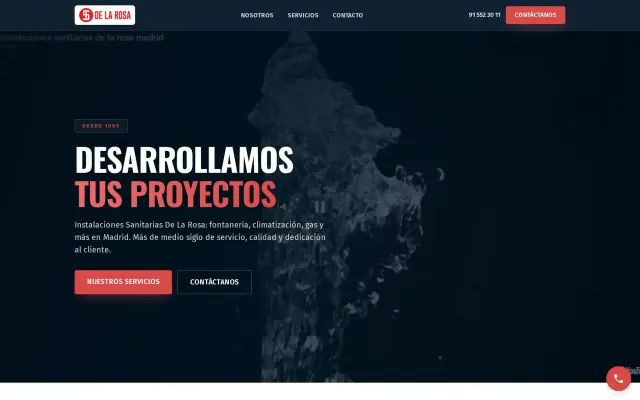
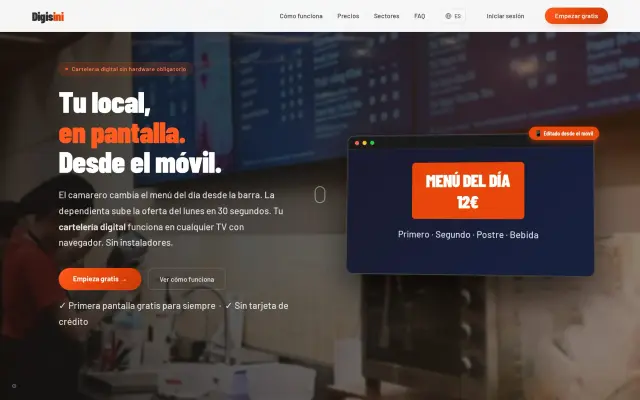
In brief: web design for MOT test centres

  • Enough contrast, readable sizes and clean structure help older customers as much as they help Google.
  • Remote work with MOT test centres anywhere, over 15 years of experience and a price agreed up front.
  • Domain and hosting are stated upfront; everything else is optional and you decide who handles it.
  • We write the copy after a conversation about your work — an hour of your time, and it is the part that sells.

⚙️ Not just a website, a tool

A website for an MOT test centre is not a brochure: it is where somebody decides whether to call you. Everything on it should serve that one decision.

What your website includes

What is actually tested

Brakes, lights, tyres, emissions and the parts nobody thinks about.

Advisories against failures

The difference on the certificate, and what to do with each.

A month early, same expiry date

The rule that lets you test ahead without losing days.

If it fails, and the retest

What can be fixed here, the free retest window, and the fee rules.

Which class your vehicle is

Cars, vans, minibuses and what changes between them.

Driving to the test without a certificate

The one journey the law allows, and its conditions.

How we work with MOT test centres, step by step

  1. 1

    We look at your business

    We check what can be kept from your current site — text, photos, the domain — and what has to go.

  2. 2

    Structure and content

    We give each service its own page, so it can be found on its own terms.

  3. 3

    Design and build

    We set type, contrast and sizes so the site still reads in bright sun and at sixty.

  4. 4

    Launch and Google

    We look at the numbers after four weeks and fix the places where visitors drop out.

  5. 5

    Handed over working

    You get the panel, we show you how to use it, and we stay available for whatever comes up.

Frequently asked questions about web design for MOT test centres

Why explain the deadline rules in such detail? +

Because that's exactly what gets searched. Somebody who realises their test has run out looks immediately for the consequences and the cost, and books with whoever answered without making them dig.

Does a pre-test checklist help? +

It's the most useful page on the site. Lights, tyres and wipers account for most failures; naming them beforehand saves the customer a retest and saves you the argument.

Should the retest be on the page? +

Definitely. Fear of failing is what makes people delay booking. Explaining how long you have to return and what the retest costs removes precisely that hesitation.

Should we show prices for common jobs? +

A from-price for the usual services — service, brakes, clutch — filters out the calls that were only ever price-shopping.

Do we need a booking form? +

One that asks for make, model, year and the symptom. Without those four you end up ringing back before you can even quote.

Is it worth showing the workshop and the team? +

In this trade it is: people are leaving something expensive with strangers. Photographs of the bays do more than any slogan.

Can the form take photos of the fault? +

Yes, and it changes the quality of the enquiry: a picture of the part or a video of the noise saves the first visit and lets you give a range straight away.

How many revisions are included? +

Two rounds before launch, and the small fixes afterwards without counting. What is not included is redesigning it twice, and we say so before starting.

Can you keep my current domain? +

Yes, and we prefer it. Losing a domain that has been printed on vans and business cards costs more than any redesign gains.

Do you need my logo files? +

If they exist, yes. If they do not, we work with what there is and tell you honestly when the logo is holding the rest back.

Will the site be fast on a bad connection? +

That is a build decision, not an add-on. Compressed images and no unnecessary scripts matter most exactly where coverage is worst.

Much more than a website

Not just your website. Your bookings and quotes panel.

Appointments and requests in your CRM, with reminders — your workshop always organised.

Customer CRM

Every contact that comes through your website lands in your panel, with follow-up and notes. Nothing gets lost.

Bookings & appointments

Online diary with automatic reminders. Your customers book themselves, you see your calendar fill up.

Email marketing

Your own campaigns and lists to build loyalty and sell again, with no paid external tools.

AI assistant

A smart chat serves and captures customers on your website 24/7, and passes the interested ones to your CRM.

Clear analytics

How many visit you and where they come from, with no jargon or annoying cookies. Decisions backed by data.

All under your brand, in one place.

I want my panel
Real projects

Sites of ours that are already up and running

Out of respect for our clients we show each project by its sector and city, with no names.

See the full portfolio →

Ready for a website that works?

Tell us about your MOT test centre and we'll prepare a no-obligation quote.

We reply within 24 hours · No obligation

WhatsApp ·